


About 60% of customers think that long wait times is the most frustrating part of a customer service experience. But how do you speed up resolutions?
A tiered system and a clear escalation process is the solution. By assigning certain agents to solve basic requests and handing off complex requests to specialists with deeper technical knowledge, you shorten resolution times and maintain quality.
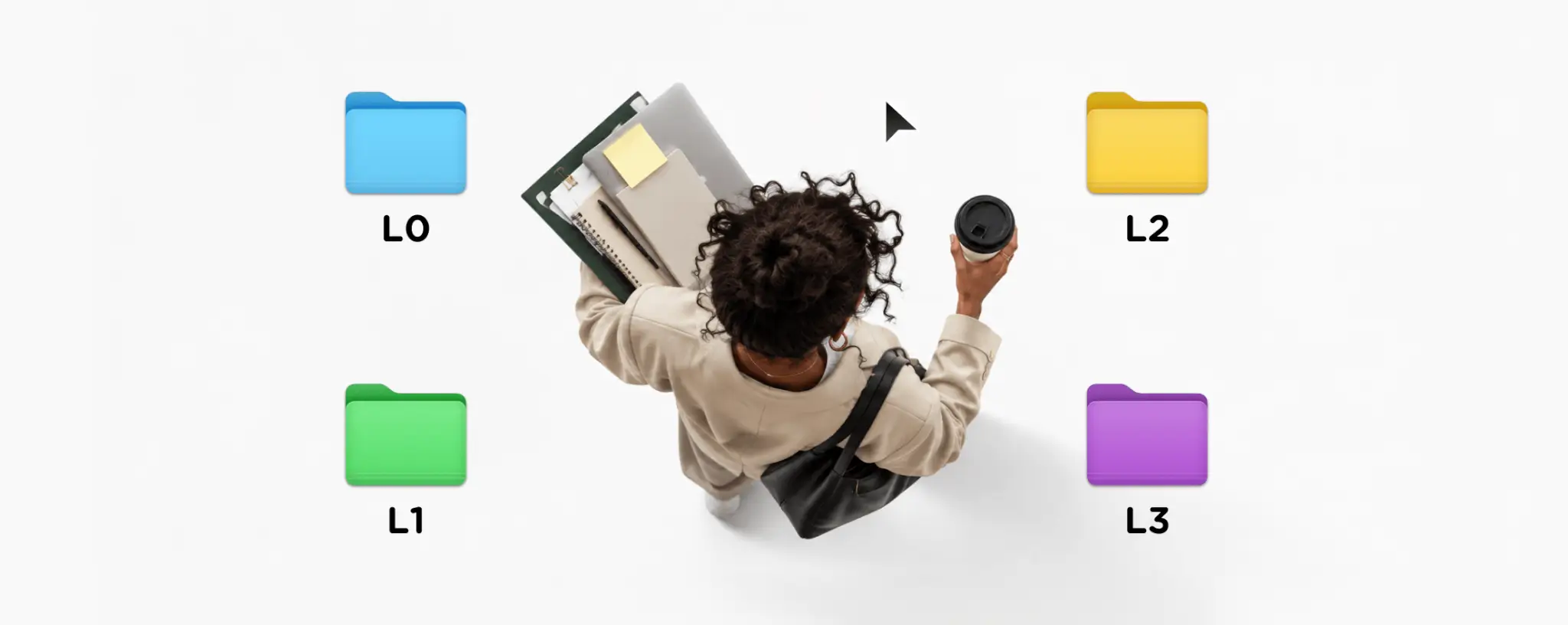
There are typically four IT support tiers, from Level 0 (L0) to Level 3 (L3), based on the complexity of the support provided. The technical support team works on L2 - L3 requests.
What's the difference between customer vs technical support? Customer support focuses on the overall experience, while technical assistance, or IT support, relies on technical expertise to resolve complex issues as effectively as possible.
At SupportYourApp, we offer high-quality IT customer service that helps you cut costs while supporting your business growth, with tailored support plans that we can adapt to your changing goals.
And now, let's break down all the support tiers.
Tier 0 Support (L0)
This level does not reach the desks of support agents and relies heavily on self-service support methods like a FAQ section and a knowledge base. Tier 0 support queries are typically high-volume, repetitive issues that can be easily automated for a better ROI. An autonomous AI agent like SupportResponse can resolve these routine requests 24/7 over chat, email, and messengers, and hand anything complex to a human agent.
Best practices for effective L0 implementation include:
- Using simple, non-technical language
- Including screenshots with step-by-step guides
- Organizing articles by topics
- Regularly reviewing and updating the content
- Options for live agent assistance
- Offering an option for leaving feedback to revise your L0 support
Below is a table illustrating customer support tiers within a technical service team structure.
Customer support tiers at a glance
| Tier | Name | Handled by | Delivery | Scope | Tools | Escalation |
| T0 | Self-service | Users | FAQ, chatbot, blogs | Low-risk issues | Knowledge base, chatbot, FAQ | A user can’t find the answer |
| T1 | Frontline support | Help desk | Phone, email, tickets | Basic requests like password resets and logging issues | Ticketing system, scripts, and knowledge base | If unresolved via initial instructions |
| T2 | Technical support | Experienced subject experts | Escalated tickets, remote diagnosis | Complex issues requiring backend access | Logs, admin tools, scripting utilities | Needs backend access or diagnostics |
| T3 | Expert support | Engineers, developers, architects | Internal collaboration | Critical or rare deep-system technical issues | Debuggers, architecture tools | Escalates only for advanced fixes |
Tier 1 Support (L1)
In a multi-level support structure, the first line of human assistance is handled by frontline agents. Tier 1 support focuses on resolving basic issues quickly and passing more complex problems to higher tiers.
Key responsibilities of agents at this help desk tier include:
- Initial user contact
- Gathering key information
- Ticket logging in the help desk
- Performing basic troubleshooting:
- Password resets
- Network connectivity
- Monitoring and following up on active tickets
- Escalating complex issues to the next tier
A Tier 1 agent understands when to escalate an issue, typically when it goes beyond their problem-solving skills or technical knowledge. This includes cases involving server-level access, custom code, or advanced configurations. If a user submits multiple tickets for the same unresolved issue, that may also signal the need to escalate to the next tier. On the phone, an AI voice agent like SupportVoice can take routine Tier 1 calls around the clock and pass harder cases to a live agent.
Tier 2 Support (L2)
These agents are responsible for handling technical problems that require deeper expertise, detailed diagnosis, and backend system access. Tier 2 support typically demands a specialized skill set to resolve such issues, including:
- Advanced troubleshooting
- Deep understanding of the operating system
- Network diagnostics
- Database and Application Knowledge
- SQL queries
- Database connectivity
- Communication and Documentation
- Translating issues into user-friendly language
- Collaborating with T1 team leaders
The main difference between T1 and T2 agents in the tier support model is that T1 agents handle basic, customer-facing problems using knowledge bases and ticketing systems. In comparison, T2 agents handle more complex, system-level problems through admin consoles and configuration tools. An AI assistant like SupportBrain helps both groups by summarizing long ticket histories and pulling answers from the knowledge base, while agents review every reply before it goes out.

Tier 3 Support (L3)
A support agent at this level represents the highest degree of technical expertise in the system and is often a subject expert, system architect, or senior engineer working alongside developers.
Tier 3 support is responsible for handling:
- Application bugs or code failures (e.g., crashes, failed updates)
- Infrastructure or network design issues (e.g., misconfigured firewalls, routing problems)
- Data loss and recovery (e.g., corrupted files, missing records)
- Security incidents (e.g., certificate errors, policy violations)
Technical Customer Support Levels: Tier 0-3
Understanding the tiered support model is the first important step towards building a good customer support structure. Each tier also needs clear customer service levels, so everyone knows how fast and how well a request should be handled. The table below summarizes all you need to know about IT support levels.
IT Support Tiers
Multi-tiered IT support
| Tier | Focus |
| T0 | Self-support |
| T1 | Solving basic issues, answering general questions about software functionality |
| T2 | In-depth technical support |
| T3 | Handling advanced problems that need investigation on the code level |
What Makes Businesses Move to Tiers?
The decision to implement a multi-level support structure is often driven by business growth or expansion, which creates the need for a tiered support system rather than relying on a small troubleshooting team.
However, there might be a number of other reasons to introduce tier support levels:
Efficiency and Cost Management
By introducing levels of IT support, you allow agents with higher technical skills to focus on more critical tasks, while other lower-tier agents handle more basic queries.
This not only improves efficiency, but reduces burnout at higher levels. The tiered system also allows high-volume tasks to be resolved at a lower cost per task.
Improved Customer Experience
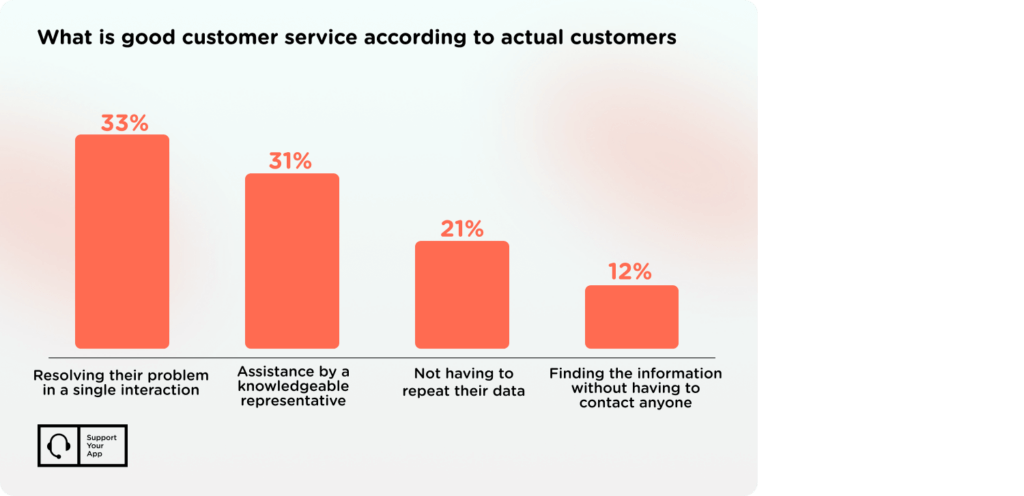
Customers expect fast solutions, which is why Level 0 or self-service options are so popular. In fact, 60% of customers prefer using self-help portals when troubleshooting problems.
Being able to find answers independently, without needing to contact support, is one of the key factors that contribute to a positive customer experience.
Scalability and Growth
As your business grows, so does the number of support requests.
By introducing customer service tiers, it becomes easier to scale support operations efficiently, manage higher volumes of requests, and allocate resources based on issue complexity, all without compromising response quality or speed.
Setting Up Your Tiered Support System
Establishing a tiered tech support team can be overwhelming, costly, and time-consuming.
This is why SupportYourApp is happy to be considered one of the top technical support companies, offering IT support, call center services, AI-powered live chat, and help desk support. Our flexible packages are designed to fit different business needs. We can also help you calculate your potential IT support costs.
But here's how to set up a tiered support system by yourself.
Step 1: Analyze the Workload
- Find common issues
- Review the average resolution times
- Spot escalation patterns
Step 2: Define your Support Tiers
- Clearly define responsibilities
- Determine escalation criteria
- Allocate staff to each tier
Step 3: Define Escalation and Handoff Procedures
- Determine when an issue should be handed off to a higher tier
- Create a template outlining the information that needs to be passed along to the next agent
- Decide how records will be logged for each case.
Step 4: Choose the Right Tools
Support tools help structure the workflow within the tech team. These tools range from basic ticketing systems to chatbots and even monitoring and alerting systems. For example, SupportCRM brings email, voice, and chat into one workspace, so a ticket keeps its full history as it moves between tiers. It’s part of our Support Intelligence Hub, alongside AI agents for chat and calls.
Step 5: Monitor, Improve, and Train
Once everything is in place, it is time to monitor the flow of your tech support team to identify bottlenecks, recurring issues, and use valuable feedback from your team and users to improve the process. Part of doing so involves moving commonly recurring issues in T1/T2 to T0 to reduce workload and to free up your team for more pressing problems.
The above steps are only necessary when handling technical support in-house and will not be needed if handed off to a professional outsourcing company, as they will handle everything on your behalf.
When choosing technical support outsourcing, you are allowing your internal team to focus on what they do best while the professional tech support takes care of your users.
Summary
Technical support is a key part of the overall customer support experience, helping maintain high customer satisfaction by resolving technical issues quickly and effectively. So, what are the levels of IT support? Technical support is typically structured into multiple tiers, starting with T0 (self-service), then T1 (basic support), T2 (more complex technical issues), and finally T3 (expert-level support).
Implementing these tiers begins with analyzing the support workload to determine which levels are needed. From there, teams can define processes, allocate staff, and select the right tools for each tier. Once the structure is in place, continuous monitoring and improvement follow.
If you opt to outsource your technical support, the external provider will manage the entire setup and operations on your behalf, from tier definition to ongoing improvements.