



SupportBrain: AI Agent Assist for Faster Support Teams
For support teams buried in long threads and repeat questions. SupportBrain drafts, translates, and summarizes replies inside your helpdesk, and your agent approves each one before sending it.
See How It WorksTrusted and Fully Certified


300+ companies worldwide have already chosen SupportYourApp








See Real-Time Agent
Assist at Work
Try a sample ticket with real-time AI assistance. Improve the draft, review the result, and add your reply to the demo conversation. No messages are sent to a customer.

The customer, Sarah Collins, contacted support to exchange a Wool Bomber Jacket ordered last week for a bigger size.
The agent found the order by the customer’s email and confirmed the original size M. The customer agreed to an exchange for size L and asked how to return the size M and when the size L will arrive, as she needs it before her trip next Friday.
Current status: open, waiting for the agent’s reply with return instructions and the delivery timeline.
Live Agent Assist Tools Inside
SupportBrain
Every tool is built into the agent’s ticket view. Managers switch every tool on or off from one settings page, so your team only sees what it uses.

Answer From Your
Knowledge Base
The moment a ticket opens, real-time agent assist checks your knowledge base and suggests the answer that fits. The agent edits it or sends it as is.

Summarize Long Threads
Summarize condenses a long ticket history into 3 to 5 lines. An agent joining midway knows what the customer needs and what’s already been tried.

Rephrase for the Right Tone
Rephrase rewrites the agent’s message however needed while retaining the original meaning. With agent assist AI, the facts stay the same and only the wording changes.

Translate in 120+ Languages
A customer writes in Polish, your agent reads it in English and replies in Polish. One team covers several markets across 120+ languages.

Fix Grammar Before Sending
Fix Grammar catches typos and broken sentences before the customer sees them. Agents writing in another language send cleaner replies without a proofreader.

Tune With Your Own Instructions
Give SupportBrain your own rules, like “add the status page link to every outage reply.” Tune applies them to the draft when the agent asks.
Calculate Your Savings

ROI Calculator
$16K/yr
Saved with AI-human support
Freed up for higher-value work
1.9 agents
Efficiency vs. all-human support
2.7x team
* Savings are estimated based on benchmark data.

How SupportBrain Changes Your Support Operation
The time each agent saves on a ticket adds up across the whole queue.
Faster Onboarding
for New Agents
New hires don’t need to memorize every policy before taking tickets. Our copilot for customer service puts the right policy and product detail next to each draft, and the new agent still approves every reply.
Less Burnout on Busy
Queues
Searching docs and retyping the same answer wears agents down fastest. SupportBrain finds the answer and drafts the reply, so the agent just has to review, edit, and send.
One Standard Across Shifts
and Locations
Whether a reply goes out from the night shift or a new hire’s first week, it passes through the same tone settings and human approval. Customers get the same quality of answer no matter who picks up the ticket.
Reports Your Managers
Can Act On
SupportBrain includes analytics and reporting, so managers can see which tools agents use and where the knowledge base needs work.


Find Out How
SupportBrain Saves
Your Agents Time
Book a call with our team. We’ll look at your ticket mix and show
which replies SupportBrain can draft, translate, or summarize first.
SupportBrain in Action
Obris’s five-person team got faster at answering requests with AI agent assist, without any extra hires.


Web Development Studio
Every client ticket came with weeks of project notes to read first. SupportBrain turned that history into a short summary and a draft reply, so agents could check and approve the answer instead of searching the docs for it.
Explore Case Study65%
shorter average handling time
94%
average CSAT from Obris’s clients
AI Does the Work and People Own the Results
SupportBrain drafts the replies, and agents approve them. Behind both, our team runs the AI itself: we keep it current, check its output, and answer for it when something goes wrong.
-
Knowledge base updates: We update SupportBrain’s sources whenever your policies or products change.
-
Weekly QA: Our team reviews drafts and fixes what’s off.
-
Change control: Every change is logged and approved before it goes live.
-
Named escalation owner: One person at SupportYourApp owns your setup and knows your account.
-
Issue log: Every issue is recorded with its cause and fix.

AI-Powered Agent Assistance
Built for Your Industry
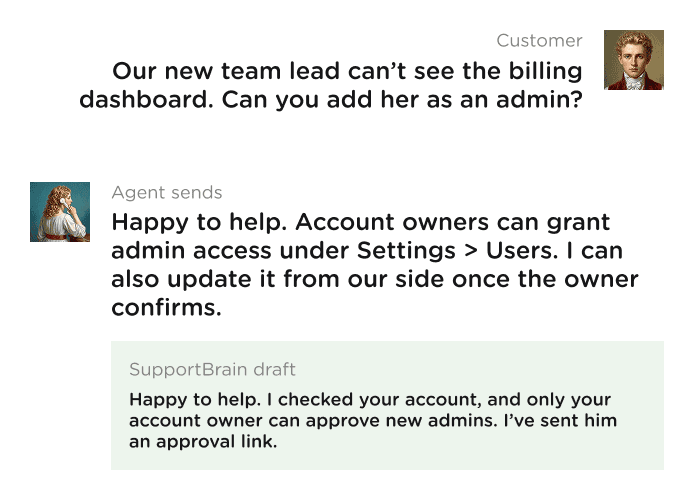
Pick your industry to see which tickets SupportBrain helps with and what your
agents check before sending.

eCommerce
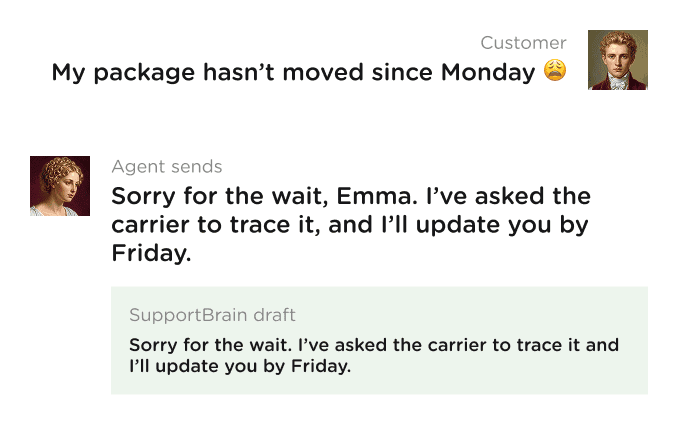
SupportBrain drafts order and return replies from your store policies, and your agents approve each one. With agent assist for ecommerce, peak-season queues keep moving without extra seasonal hires.
WISMO
Returns & Refunds
Failed payments
Damaged items
Fintech
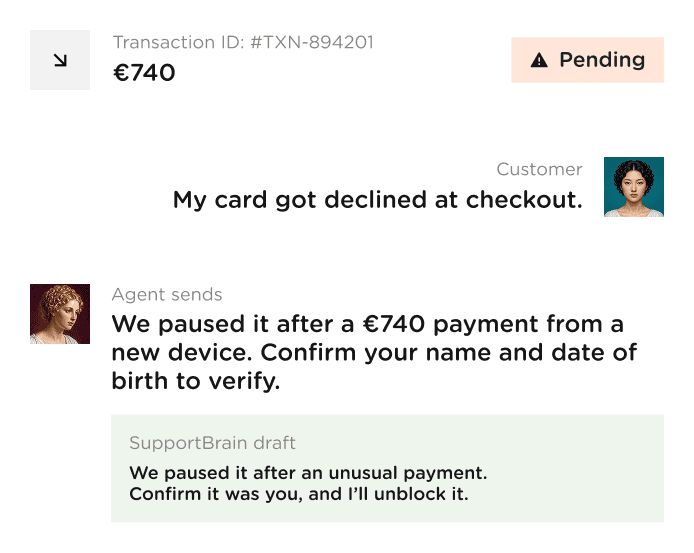
SupportBrain drafts answers on cards, transfers, and account access from your approved policy docs. Nothing goes out without a human sign-off.
Locked account
Transfer status
KYC questions
Disputed charges

SaaS
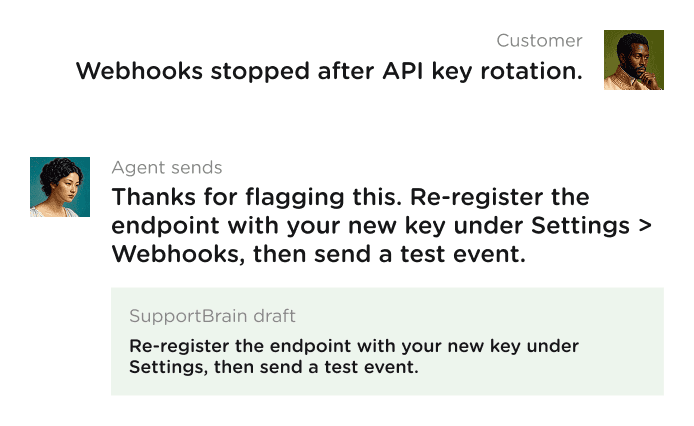
SupportBrain reads your product docs and suggests the fix for setup and integration tickets. Our agent assist for SaaS support gets users unstuck before a small error turns into a churned trial.
Login issues
Billing changes
API errors
Onboarding questions

Hospitality & Travel
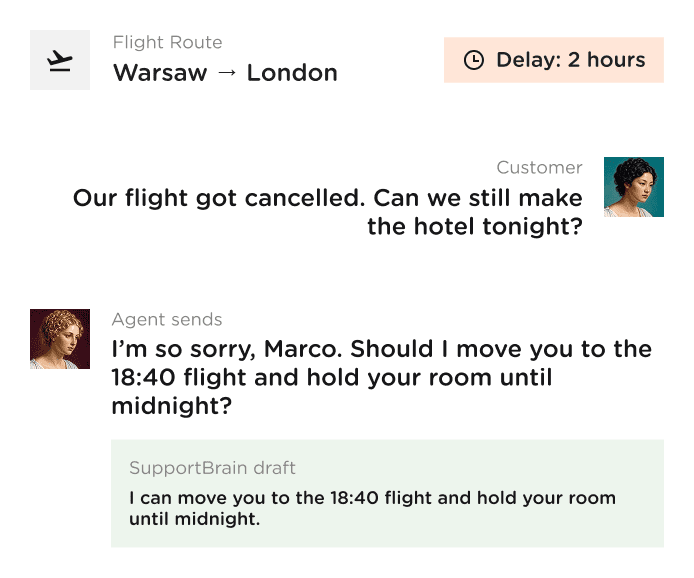
SupportBrain drafts rebooking and cancellation replies from your fare and refund rules. Agents soften the tone for upset travelers before sending.
Booking changes
Cancellation rules
Check-in questions
Disruption updates

B2B
SupportBrain sums up long account histories, so any agent can answer a client without making them repeat the story. Drafts follow your tone & voice.
Contract questions
Account history recaps
Permission requests
Renewal questions

IT Customer Support
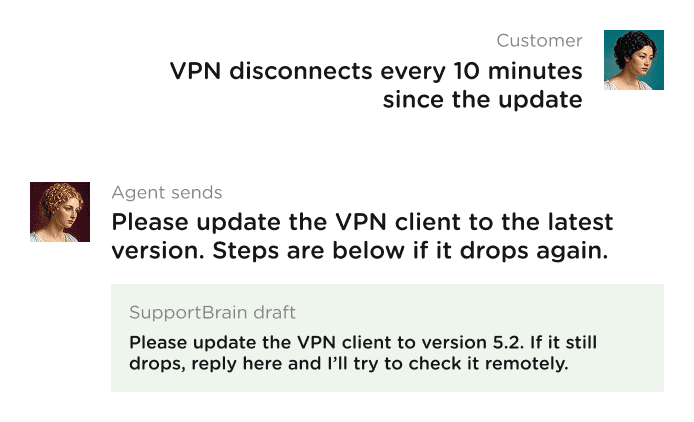
Service desk agents get troubleshooting steps from your runbooks on L1 to L3 tickets. That’s how AI agent assist for service desk helps first-line agents close more tickets without escalating them.
Access requests
VPN and device setup
Software install issues
Escalation notes



Powered by Perplexity
SupportBrain runs on Perplexity’s Sonar model. Because Sonar is built for search, this AI agent assist tool looks up the answer in your knowledge base before it writes a draft. When the answer isn’t in your docs, the agent can ask SupportBrain to run an in-depth web search instead. SupportBrain finds the relevant information and cites its sources. Your agent still reads every suggestion, so a wrong answer stops at the agent instead of reaching the customer.
From Kickoff to First Approved Replies
With SupportBrain, our specialists handle everything from configuring and connecting to training and tone-tuning the AI assist based on your agents’ and project’s needs.

Day 1
Signup & Scope
We agree on channels,
languages, and what
your agents need from
SupportBrain.
Day 2-3
Connect & Gather
We connect SupportBrain to
SupportCRM or your helpdesk and
load your knowledge base.
Day 4-6
Train & Tune
We set tone instructions and
test drafts against your past
tickets.
Day 7
Go Live
Agents start using SupportBrain in
their ticket view and approve every
reply. QA starts the same week.

SupportBrain FAQs
What Is Agent Assist?
Agent assist is AI that works next to a human support agent instead of replacing them. It suggests replies, pulls answers from your knowledge base, and condenses long threads while the agent works a ticket. With SupportBrain, the agent reviews every suggestion and decides what the customer receives.
What Is Real-Time Agent Assist?
It’s agent assist that works during the conversation instead of after it. Once a ticket opens, SupportBrain checks your knowledge base and offers a draft. The agent isn’t digging through tabs while the customer waits. It covers email, chat, and tickets handled in your CRM or helpdesk.
Can You Explain How Agent Assist Improves FCR?
Yes. Repeat contacts usually happen because the first reply missed a detail or the agent had to guess. Agent assist puts the documented answer and the full ticket history in front of the agent before they reply. Fewer tickets then need a follow-up, a transfer, or a second explanation from the customer.
Who Keeps SupportBrain Accurate After Launch?
We do. Our team updates the knowledge base when your policies change, reviews drafts in weekly QA, and logs every change and incident. You also get a named escalation owner who knows your account. Your agents still approve every reply, so people make the final call on what customers read.

Why AI Agent Assist Works for Support Teams
Bots Take the Simple Tickets and Agents Take the Hard Ones
AI that replies on its own handles order status and password resets well. It struggles with an angry customer, a disputed charge, or a bug nobody has documented yet. Agent AI assistance covers that gap. The agent keeps the judgment, and SupportBrain takes the searching and typing off their plate.
Faster First Replies Without a New Hiring Round
Agents lose minutes on every ticket searching docs and rewording replies. SupportBrain drafts the answer in the ticket view, so teams see faster first replies and lower average handling time. Check our agent assist pricing to see what that speed costs for a team your size.
Contact Center Agent Assist Across 120+ Languages
A customer writes in Portuguese on a Sunday, and the only agent on shift speaks English and Spanish. Translate turns the message and the reply around inside the ticket. One team covers several markets in 120+ languages, so you can skip hiring a native speaker for every region.
One Summary Instead of a 40-Message Thread
Teams looking for AI call summarization usually want to stop rereading history before every reply. SupportBrain’s Summarize turns long email, chat, and ticket threads into 3 to 5 lines. Shift handoffs stop costing the customer another round of explaining.
Answers You Can Trace Back to Your Docs
A copilot for customer service is only as good as the source it reads. SupportBrain pulls answers from your knowledge base and leaves the final call to your agent. If a draft looks off, the agent fixes it before the customer sees it, and your brand stays out of screenshot threads.